
AI Poster Maker
Headline plus theme becomes a print-ready poster in eight graphic styles
4 free credits on sign-up — your first Standard image with any tool, no card required.
- 01Enter the headline exactly as it should appear on the poster
- 02Describe the theme, then pick a style and a format
- 03Render, proof the type, and upscale before sending it to print
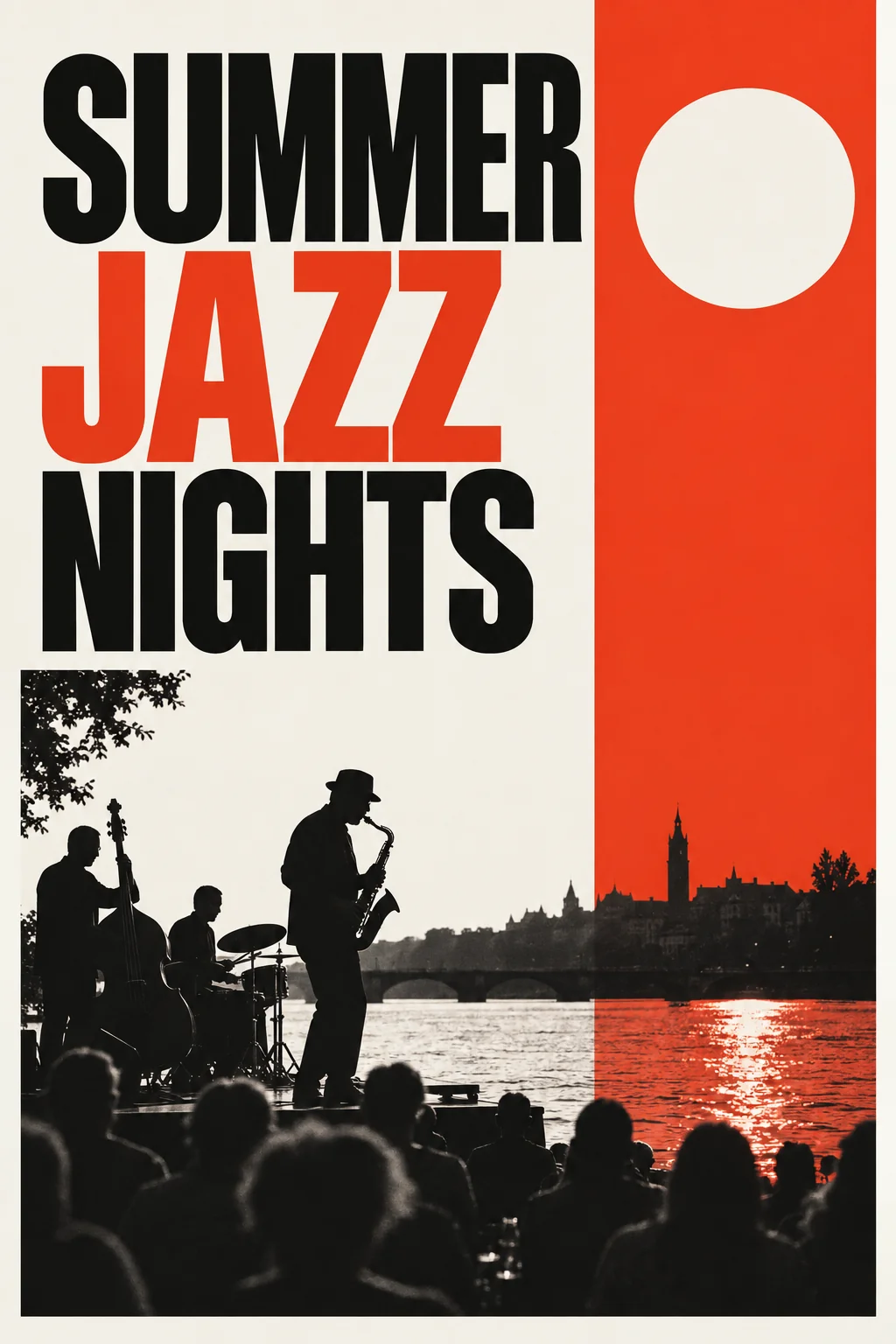
Made by this tool from the fields listed below.
Posters live or die on hierarchy, and the AI Poster Maker starts from the headline. Enter the exact words you want on the poster, describe what it is about, choose a graphic style and a format, and the generator lays out a poster where that headline is the dominant, legible element and everything else — image, color, margins — is built to support it. It serves event organizers, teachers, small venues, student societies, choirs and anyone who needs something striking for a noticeboard or a shop window by tomorrow morning.
The eight styles are recognizable design languages rather than filters. Modern gives a bold central image on a clean grid. Swiss typographic is strict grid, large sans-serif and a single accent color. Vintage is distressed screen-print texture with classic lettering. Minimal is one symbol and a lot of empty space. Retro-futurist brings 1960s space-age chrome and starbursts, grunge tears paper and splatters ink, Art Deco is gold on black with streamlined figures, and bold graphic is high-contrast color blocks with oversized type. The theme field is where secondary details go — the date, the venue, the atmosphere — and the generator often works them into the layout as smaller type or imagery, though the headline always wins the hierarchy.
Choose 2:3 for a standard portrait poster, 3:2 for landscape and 1:1 for a square social version — the layout is composed for the format rather than cropped afterwards. Because the headline is rendered as part of the artwork, check the spelling at Pro or Max quality before printing. For a series of gig, class or event posters, keep the style constant and change only the headline and theme; the family will hang together. Reframe can turn the finished portrait poster into a landscape banner or a square social tile without redrawing it, and Image Text Editor swaps a date when the event moves.
What you set
- Headline texte.g. SUMMER JAZZ NIGHTS
- What is the poster about?e.g. an outdoor jazz festival by the river
- Poster styleModernSwiss typographicVintageMinimalRetro-futuristGrungeArt DecoBold graphic
- SizePortrait (2:3)Landscape (3:2)Square (1:1)
After it's made
- Change details with a sentence, or hand it to any other tool
- Standard, Pro and Max quality on every make
- Enlarge to 32 megapixels or turn it into a short clip
- Every image saved to your library, downloadable full size
About this tool
- Can I add a date, venue or smaller text lines?
- The headline field is rendered as the dominant type; put secondary details in the theme description ("a jazz festival on 12 July at Riverside Park") and the layout will often include them. For precise small type, add it in your layout app on top of the exported poster.
- What print size does the poster support?
- Render at Max for the cleanest type, then use Upscale to 16 or 32 megapixels — enough for A2 or 18×24 inch prints at a comfortable resolution.
- How do I get a poster in my brand colors?
- Describe the palette in the theme field ("navy background, mustard accents") and choose a style that uses restrained color, such as Swiss typographic or minimal. Edit With Words can recolour a finished poster too.
- Which style is best for a music event?
- Bold graphic and grunge suit rock and club nights, Art Deco and vintage suit jazz and classical, retro-futurist suits electronic shows. Render two styles with the same headline and compare.
- Can I try AI Poster Maker before paying?
- Yes. A new account starts with 4 free credits, which covers your first Standard image with AI Poster Maker — no card required. After that, credits come from a monthly plan or a one-time pack.
Often used next
Image Text Editor
Replace text inside an image and keep the original font, color and perspective
Image Upscaler
Enlarge any image to 4, 8, 16 or 32 megapixels with detail added, not smeared
Album Cover Generator
Square album art with artist and title set — composed to read as a thumbnail
Book Cover Generator
Front covers with the title and author name set — genre-aware, print-ready 2:3
Made for