
Renaissance AI image generator
The Renaissance style paints your subject the way a sixteenth-century master would have: dramatic light from one window, varnished depth, a composition built on calm triangles. Modern subjects become oddly dignified inside it.
Choose Renaissance from the style select, write the subject, render: the preset supplies old-master oil glazes with warm earth tones, umber shadows and a single gold highlight, so your prompt only has to describe what is in the frame. Give the subject something to hold and a dark background; the style does the rest. Below, 9 subject pages show Renaissance on portraits, landscapes, cityscapes, animals and more.
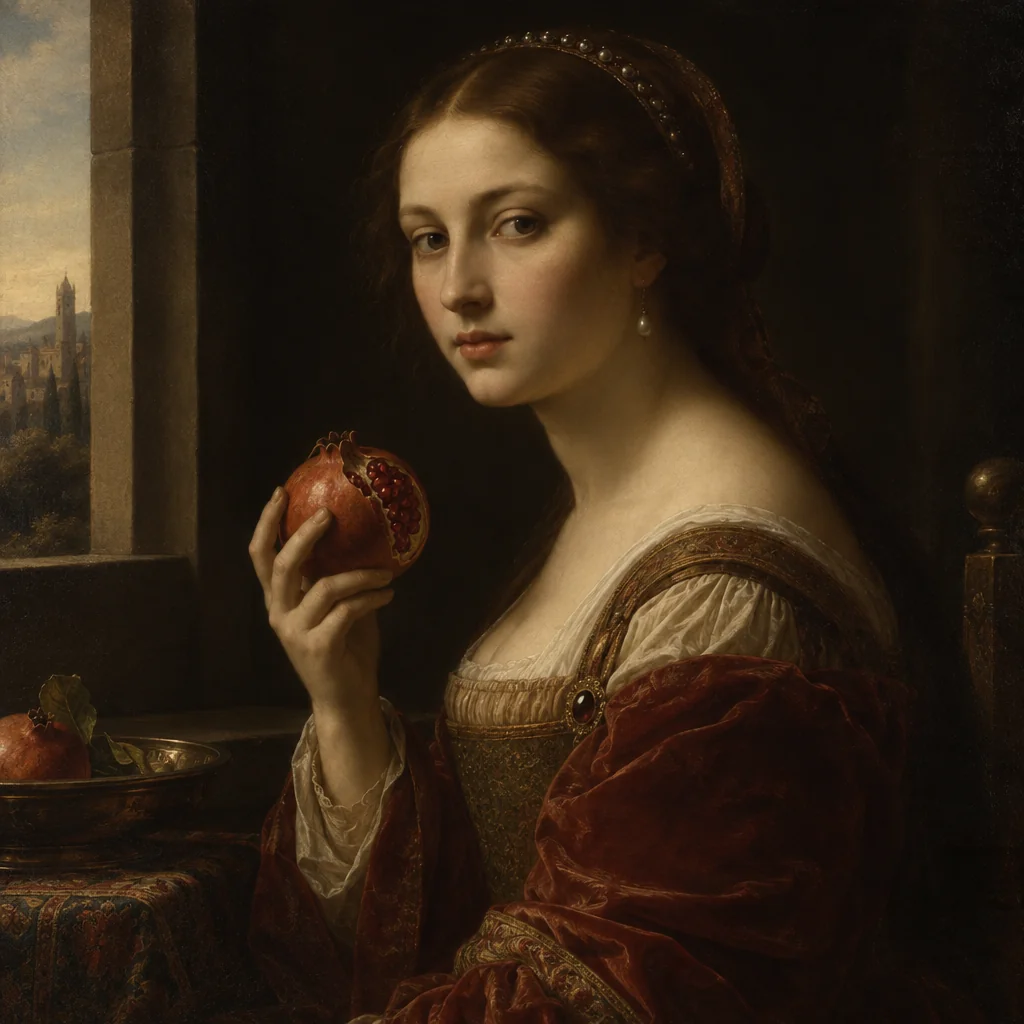
Made with the preset on this page.
Where it shines
- Medium: old-master oil glazes
- Palette: warm earth tones, umber shadows and a single gold highlight
- Edges and lines: sfumato softness with chiaroscuro modelling
- Reach for it when you need portrait commissions, wine and spirits branding or museum-style posters
The recipe
- 01
Render with Renaissance selected
The canvas opens with the style preset and a starter prompt ("a young noblewoman holding a pomegranate beside a window, dark background") you can replace with your own subject.
AI Image Generator - 02
Spin off variations
Get siblings of the best render — same Renaissance treatment, different composition — before committing.
Image Variations - 03
Upscale the keeper
Take the final Renaissance image to 8, 16 or 32 megapixels for print or a wallpaper.
Image Upscaler
Questions
- What does the Renaissance style change about my prompt?
- Nothing in your words — the canvas appends a fixed description of old-master oil glazes, warm earth tones, umber shadows and a single gold highlight and sfumato softness with chiaroscuro modelling after your prompt, so the subject stays yours and the rendering becomes Renaissance.
- What aspect ratios work with Renaissance?
- All nine in the aspect select, from square to 21:9 ultrawide, work with Renaissance: old-master oil glazes adapts to any frame, wide formats suit portrait commissions, tall ones suit museum-style posters.
- Can I get several Renaissance images that match?
- Render one you like, then run Image Variations: each sibling keeps old-master oil glazes and warm earth tones, umber shadows and a single gold highlight and changes only the composition.
Keep exploring