
Book Cover Generator
Front covers with the title and author name set — genre-aware, print-ready 2:3
4 free credits on sign-up — your first Standard image with any tool, no card required.
- 01Enter the title, the author name and the genre
- 02Add a mood in a few words, then render
- 03Proof the type, upscale for print, and export the 2:3 front cover
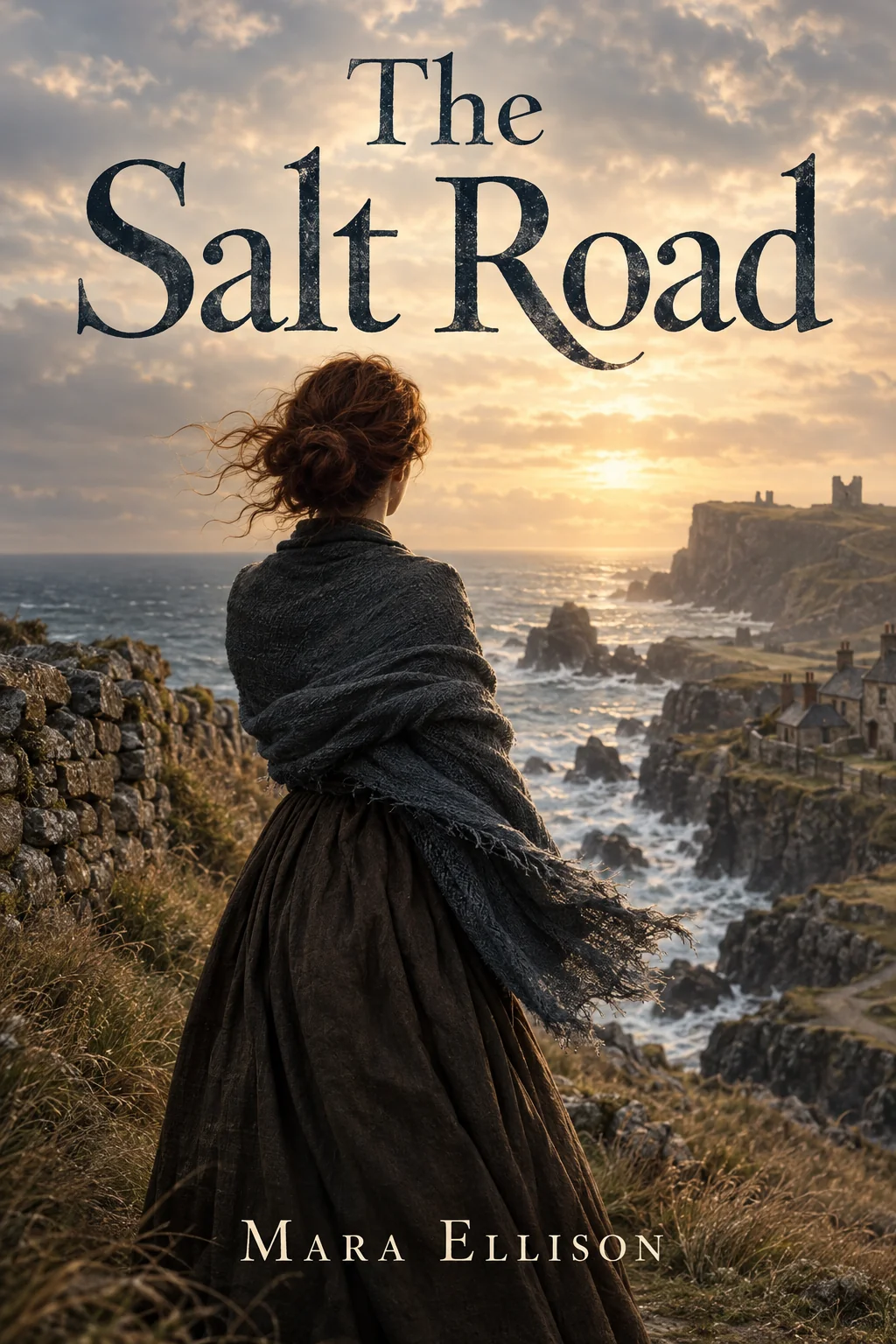
Made by this tool from the fields listed below.
The Book Cover Generator makes a front cover, not a mockup: a 2:3 page with a strong focal image, the exact title rendered large and legible in a typeface that fits the genre, the exact author name smaller near the bottom, safe margins and no spine or 3D effect. Enter the title, the author, the genre and, optionally, a mood, and render. It is aimed at self-publishers, indie presses, writing groups and anyone who wants to see a manuscript wearing a real cover before deciding how it should look. Nothing else is invented: no blurb, no series badge, no barcode.
Genre drives everything. "Historical fiction" with a "windswept and melancholic" mood produces a very different cover from "cozy mystery" with a "warm and playful" mood, or "hard science fiction" with a "cold and vast" mood — the imagery, the palette and the lettering all follow. Because the type is rendered as part of the artwork, check spelling and legibility at Pro or Max quality before you export. Genre also sets the conventions readers expect — a thriller's cold palette and stark type, a romance's warmth, a fantasy novel's ornament — so an accurate genre field does more than a long mood description.
Self-publishers use it to test three directions before briefing a designer, or to produce a finished cover for an ebook or a short-run print. Render a few moods for the same title, pick one, upscale it for print, and use Image Text Editor if a subtitle needs changing later. For a series, keep the genre and mood constant and vary the title; the covers will sit together on a shelf. Every cover is saved to your library, so the direction you did not pick today is still there when a sequel needs a matching design next year.
What you set
- Book titlee.g. The Salt Road
- Author namee.g. Mara Ellison
- Genree.g. historical fiction
- Moode.g. windswept and melancholic
- 2:3 output
After it's made
- Change details with a sentence, or hand it to any other tool
- Standard, Pro and Max quality on every make
- Enlarge to 32 megapixels or turn it into a short clip
- Every image saved to your library, downloadable full size
About this tool
- Will the title and author be spelled correctly?
- The generator renders the exact text you enter and adds no other words. Proof every letter at Pro or Max — lettering is where quality tiers show most, and Image Text Editor can fix a single word afterwards.
- Does it include the spine and back cover?
- No — the output is the front cover only, at 2:3, without a mockup. Assemble spine and back in your layout tool using the cover's palette; Reframe can extend the artwork to wrap around if you want continuous imagery.
- What resolution do I need for print?
- Render at Max, then Upscale to 16 or 32 megapixels; that covers a 6×9 inch trade paperback at 300 dpi with room to spare. Ebook stores are happy with the native render.
- Can I make covers for a whole series that match?
- Keep the genre and mood fields identical across books and change only the title; the imagery, palette and typographic voice stay consistent enough to read as a set.
- Can I try Book Cover Generator before paying?
- Yes. A new account starts with 4 free credits, which covers your first Standard image with Book Cover Generator — no card required. After that, credits come from a monthly plan or a one-time pack.
Often used next
Album Cover Generator
Square album art with artist and title set — composed to read as a thumbnail
AI Poster Maker
Headline plus theme becomes a print-ready poster in eight graphic styles
Image Text Editor
Replace text inside an image and keep the original font, color and perspective
Image Upscaler
Enlarge any image to 4, 8, 16 or 32 megapixels with detail added, not smeared
Made for