
Image Text Editor
Replace text inside an image and keep the original font, color and perspective
4 free credits on sign-up — your first Standard image with any tool, no card required.
- 01Upload the image and type the text exactly as it appears
- 02Type the replacement text with the capitalisation you want
- 03Render and check the letters at Pro or Max quality
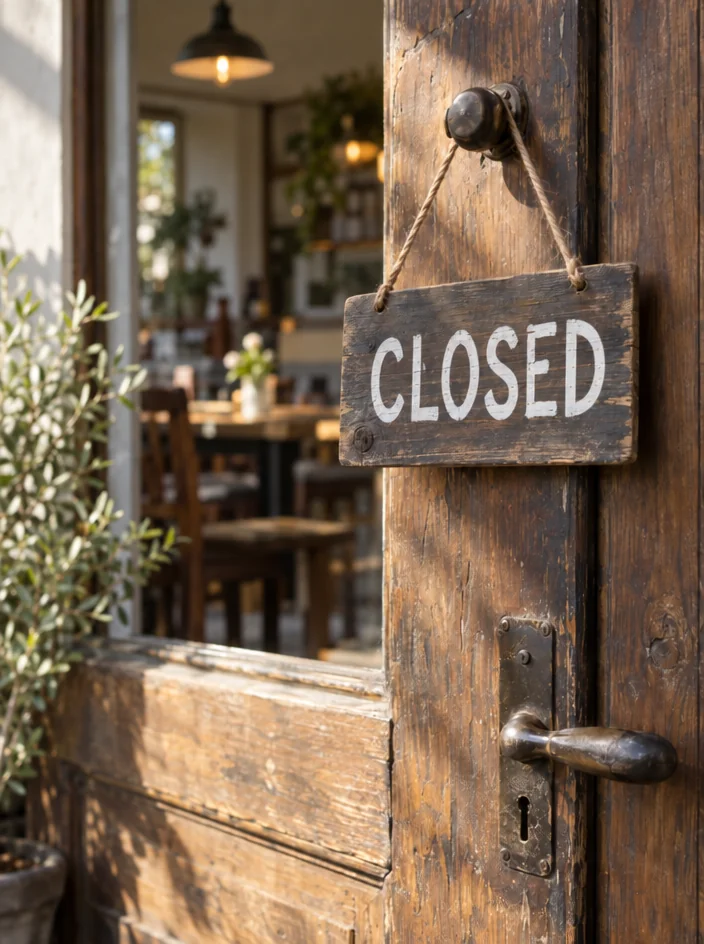
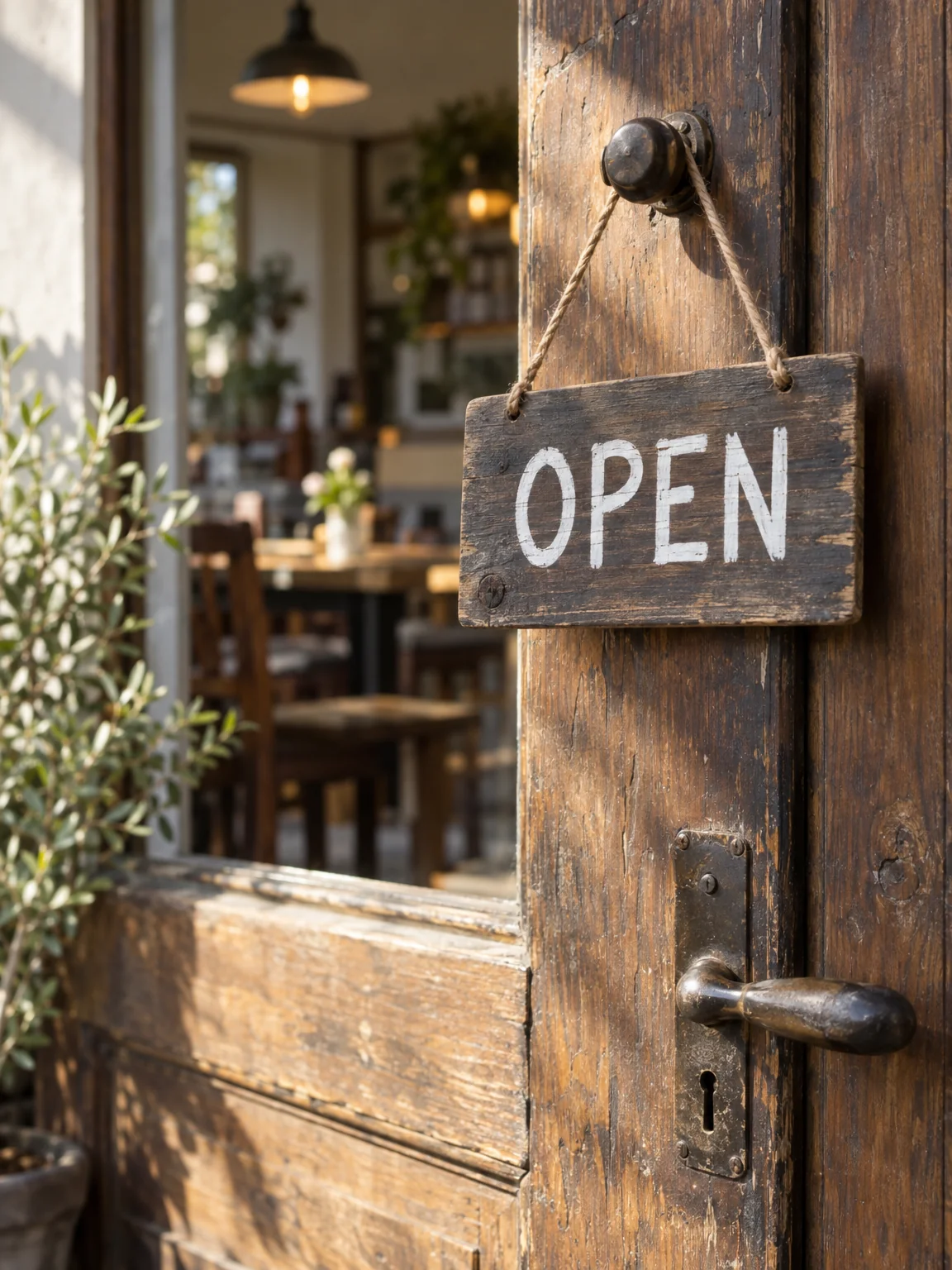
Drag the handle: the uploaded photo on the left, what the tool made on the right.
The Image Text Editor changes words without redrawing the picture. Tell it the text that is currently in the image and the text that should replace it, and it renders the new wording with the original font style, weight, size, color, perspective and lighting while leaving everything else untouched. A shop sign that says OPEN becomes CLOSED; a poster headline gets the right date; a product label gets a new flavour. Marketers use it to localise campaign images, e-commerce sellers to update prices and flavours on packshots, designers to fix a typo in a rendered poster, and anyone to change a sign in a photo.
It is the finishing tool for the studio's own outputs as much as for photos. A poster, book cover or album cover rendered here can have a title fixed or a name corrected without re-rendering the artwork. Mockups and localised marketing images are the other big use: one hero image, five languages, no reshoot. It also keeps the original lighting, so replaced text on a neon sign still glows, and text on a curved bottle still wraps, which is what separates it from stamping new lettering on top. Screenshots of a product interface take the same treatment for a demo.
Be precise in both fields. Quote the current text exactly as it appears ("SUMMER JAZZ NIGHTS") and write the replacement with the capitalisation you want. Keep the new text a similar length to the old so it fits the same space. Check the result at Pro or Max quality — lettering is where higher tiers earn their credits — and use Edit With Words for changes that go beyond the text itself. Rendered results are saved to your library, so a set of localised versions of one image can be produced in one sitting and compared side by side before export.
What you set
- Your image
- Text to replacee.g. OPEN
- New texte.g. CLOSED
After it's made
- Change details with a sentence, or hand it to any other tool
- Standard, Pro and Max quality on every make
- Enlarge to 32 megapixels or turn it into a short clip
- Every image saved to your library, downloadable full size
About this tool
- Does it match the original font?
- It reproduces the original font style, weight, size, color, perspective and lighting as closely as it can. Matching improves when the source text is sharp and the replacement is a similar length.
- Can I add text where there was none?
- This tool replaces existing text. To add new lettering, use Edit With Words or Add Object and describe the text and where it should sit.
- Can I change text on a curved or angled surface?
- Yes — the new text follows the perspective of the original, so labels on bottles, signs photographed at an angle and text on clothing all work.
- What if the new text is much longer?
- It will be squeezed into the same space. Keep replacements close to the original length, or shorten the wording; for a bigger change, re-render the design in Poster Maker or Book Cover Generator.
- Can I try Image Text Editor before paying?
- Yes. A new account starts with 4 free credits, which covers your first Standard image with Image Text Editor — no card required. After that, credits come from a monthly plan or a one-time pack.
Often used next
Edit With Words
The universal edit: say what should change and everything else stays put
AI Poster Maker
Headline plus theme becomes a print-ready poster in eight graphic styles
Book Cover Generator
Front covers with the title and author name set — genre-aware, print-ready 2:3
Add Object to Image
Add anything to a photo with matching light, shadow, scale and perspective
Made for