
Your Book Deserves A Cover That Sells It
The manuscript is done, and the cover is now the single biggest factor in whether anyone clicks. Cover designers are worth every dollar and are booked out for months; stock-image templates make a thriller look like a wellness journal. You want several directions to compare, a version sized for the ebook store and the paperback, and matching art for the launch post and the newsletter.
Type the title, your name and the genre into the Book Cover Generator, add a line about the mood if you have one, and you get a full front cover with the typography placed. Run it several times to compare directions. Use Reframe & Expand to make a 16:9 header for the launch post, the Image Upscaler for the print file, and Image Text Editor to fix a subtitle or add a series line.

Made in the Studio with the first tool on the route.
You want
- I have read that a cover should signal the genre in a second. Mine does not signal anything.
- The cover designer I want has a four-month waitlist and my launch is in six weeks.
- The ebook needs a tall cover and the ad needs a wide banner from the same art.
- The title font is right, but the subtitle is wrong. I do not want to start over.
The route
- 1Generate the front cover
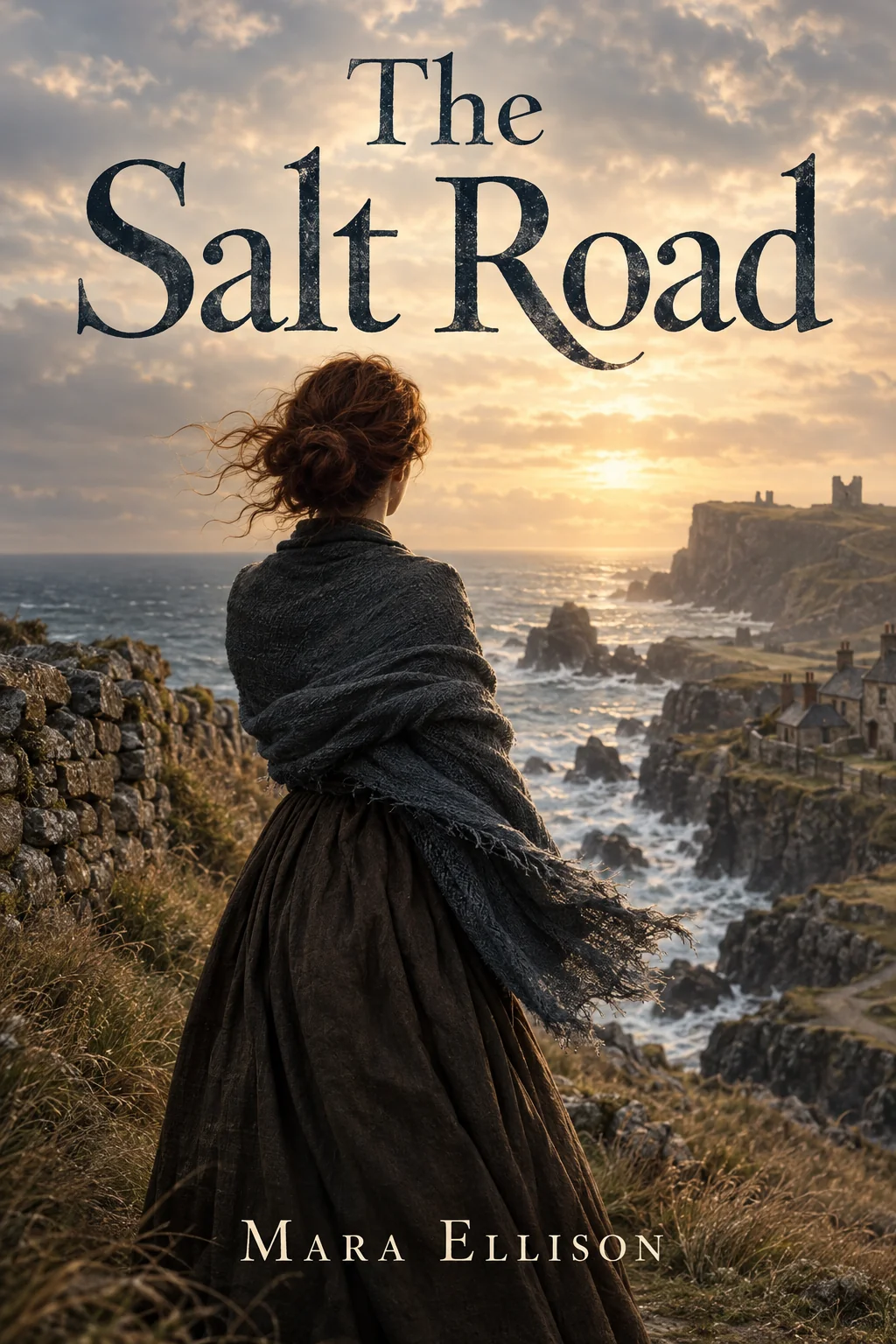
Composes art and typography from your title, name, genre and mood, so you can compare directions in minutes.
Book Cover Generator - 2Fix a subtitle or add a series line

Type the current text and the new text; the lettering changes and the artwork stays put.
Image Text Editor - 3Reframe for the launch post

Stretches the cover art into a 16:9 header or a 1:1 tile for social and the newsletter.
Reframe & Expand - 4Upscale for the paperback file
Print needs pixels; go up to 32 MP for 20 credits before you export the wrap.
Image Upscaler
Good to know
- How many cover directions can I try with the free credits?
- Two. The Book Cover Generator is a create-from-words tool, and a Standard render costs 2 credits, so the 4 free credits on a new account cover two covers. A 250-credit pack at $4.99 covers many more, and pack credits never expire, so you can keep iterating on the cover through the whole launch.
- What if the title is spelled wrong on the cover?
- Run the result through Image Text Editor. Type the text as it appears and the text you want, and the lettering is redrawn with the artwork left alone. The same tool adds a subtitle, a series line or a review quote. Check spelling at full zoom before you upload to the store, as you would with any cover.
- Will the cover fit the ebook store's dimensions?
- The Book Cover Generator produces a tall front cover in the standard portrait shape. Stores publish their own pixel requirements, and the Image Upscaler gets you to the resolution they list, from 4 MP up to 32 MP. For a paperback wrap, Canvas Extender widens the art so it can run across the spine and back.
Tools on this route