
Sketch to Image
Rough sketch in, finished painting, render or illustration out — 8 finishes
4 free credits on sign-up — your first Standard image with any tool, no card required.
- 01Upload the sketch — pencil, marker, tablet or whiteboard
- 02Choose a finish and add optional direction for color, light and materials
- 03Render, compare with the sketch, and refine in another tool
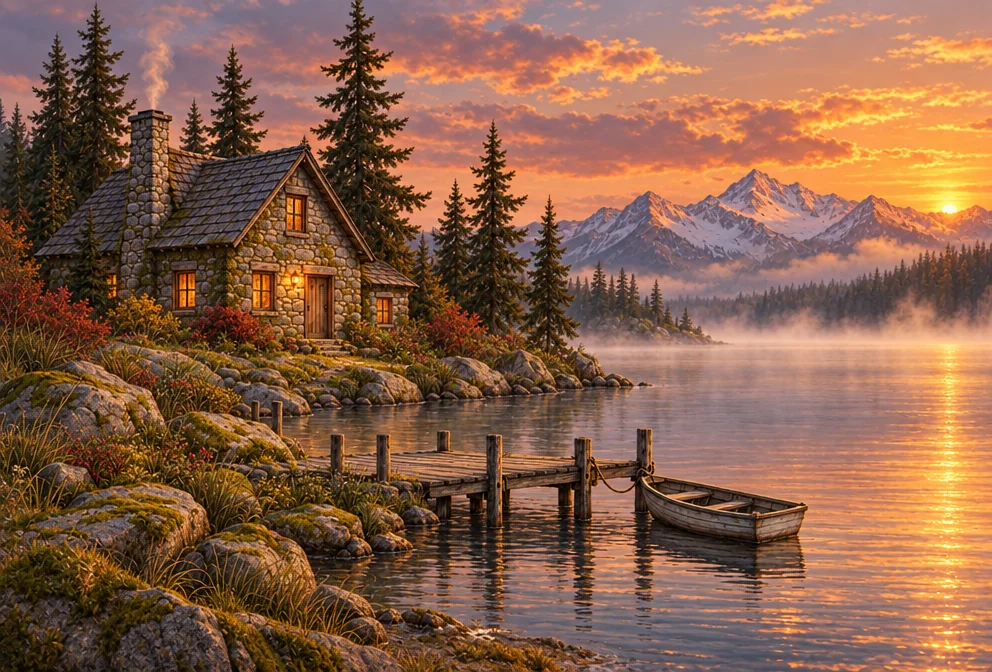
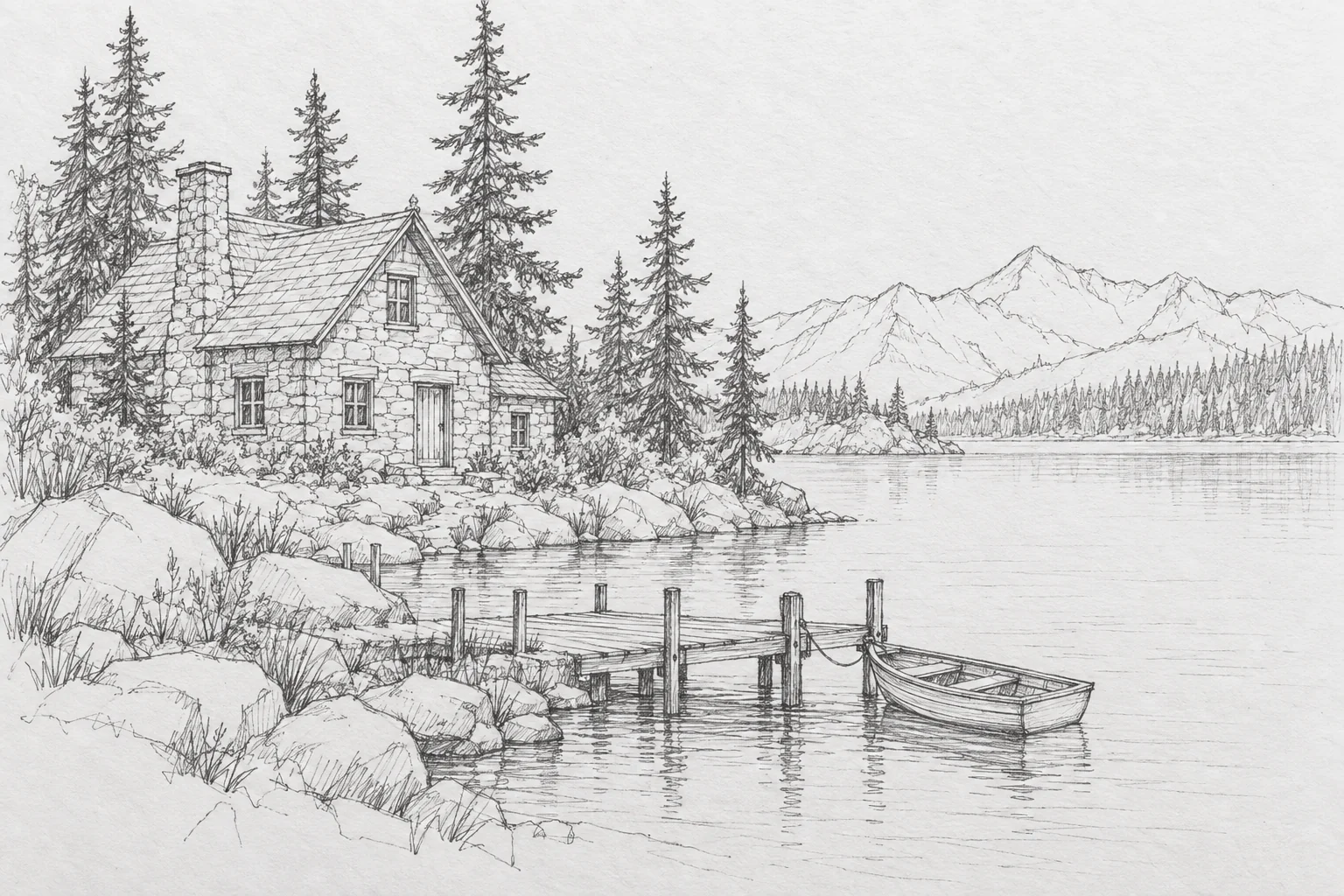
Drag the handle: the uploaded photo on the left, what the tool made on the right.
A sketch already holds the hard decisions — composition, pose, proportion. Sketch to Image keeps every one of them and adds what a sketch cannot: color, lighting, materials and detail. Upload a pencil drawing, a marker layout, a whiteboard doodle or a tablet line drawing, choose a finish, add optional direction, and the result is a fully rendered artwork built on your lines. Illustrators use it to skip the coloring stage, product designers to see a form in a real material, architects and interior designers to turn a plan into a client-ready visual, and teachers to show what a diagram could look like.
Eight finishes cover the usual destinations. Digital painting gives smooth blended brushwork and dramatic light. Watercolor and oil painting bring traditional media. Comic ink produces an inked, flat-colored panel. Photorealistic renders true materials, depth of field and natural light — the fastest way from a product doodle to a believable image. Anime gives clean cel shading, concept art adds material definition and atmosphere, and flat vector produces clean shapes with solid color. The optional direction field is where color, light and material live; leave it empty and the finish decides, or add a sentence such as "warm sunset colors, mossy stones" to steer the palette without touching the composition.
The optional direction field is where you describe what the sketch cannot show: "warm sunset colors, mossy stones", "brass and leather materials, overcast light". Keep it to materials, palette and lighting — the composition is already decided. Product designers use it to visualise a form, illustrators to color a thumbnail, architects to render a napkin plan. Send the result on to Style Transfer or Edit With Words for the next pass. Every rendered piece is saved to your library alongside the sketch, so revisiting a drawing in a different finish a week later is a single render rather than a redraw.
What you set
- Your sketch
- Extra directione.g. warm sunset colors, mossy stones
- Render asDigital paintingWatercolorOil paintingComic inkPhotorealisticAnimeConcept artFlat vector
After it's made
- Change details with a sentence, or hand it to any other tool
- Standard, Pro and Max quality on every make
- Enlarge to 32 megapixels or turn it into a short clip
- Every image saved to your library, downloadable full size
About this tool
- How rough can the sketch be?
- Quite rough — a few confident lines that establish the composition are enough. The clearer the silhouette and proportions, the more faithfully the render follows them; scribbled shading is ignored in favour of proper lighting.
- Will it change my composition?
- It is instructed to stay faithful to the sketch's composition, subject, poses and proportions and to use the lines as the underlying structure. Use Image to Image instead if you want it to reinterpret freely.
- Can I render a sketch photorealistically?
- Yes — choose photorealistic and describe the materials and lighting in the direction field. It works well for product forms, furniture and vehicles drawn in clean line.
- Does it work with a photo of a paper sketch?
- Yes. Shoot it flat in even light so the lines read clearly; a slight paper tint is fine. Cropping to the drawing before uploading gives the model less to guess about.
- Can I try Sketch to Image before paying?
- Yes. A new account starts with 4 free credits, which covers your first Standard image with Sketch to Image — no card required. After that, credits come from a monthly plan or a one-time pack.
Often used next
Image to Image
Reimagine any image with a sentence while keeping its layout recognizable
AI Style Transfer
Repaint any image in Van Gogh, ukiyo-e, cyberpunk or a reference image's style
AI Illustration Generator
Editorial, picture-book, flat vector or risograph — finished illustrations
Edit With Words
The universal edit: say what should change and everything else stays put
Made for