
Image to Image
Reimagine any image with a sentence while keeping its layout recognizable
4 free credits on sign-up — your first Standard image with any tool, no card required.
- 01Upload the image you want to reimagine
- 02Describe the change in a sentence — season, era, medium, mood
- 03Render, compare with the original, and refine in other tools
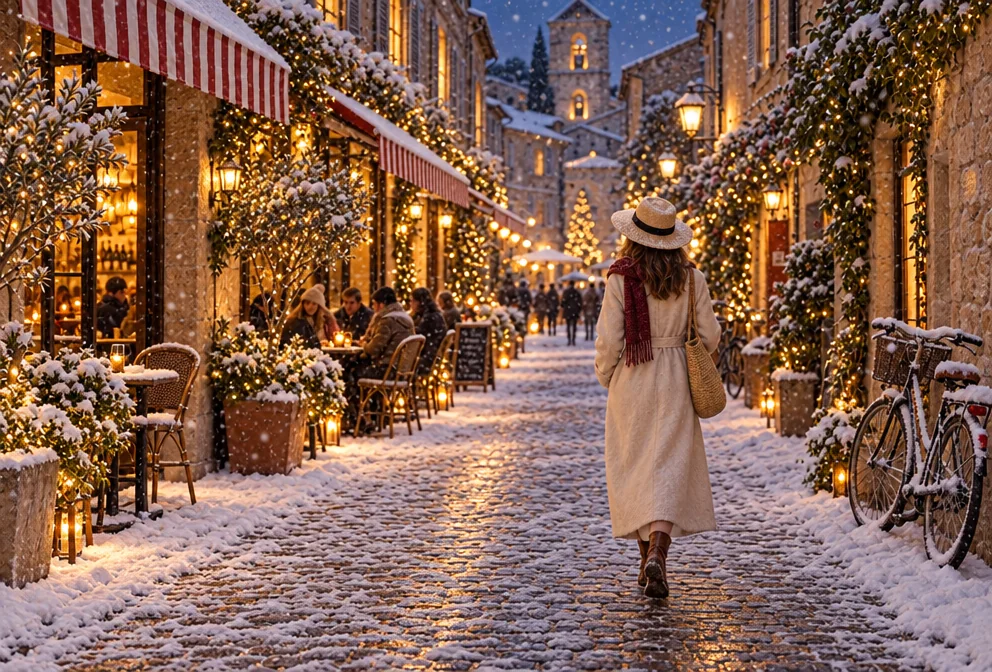
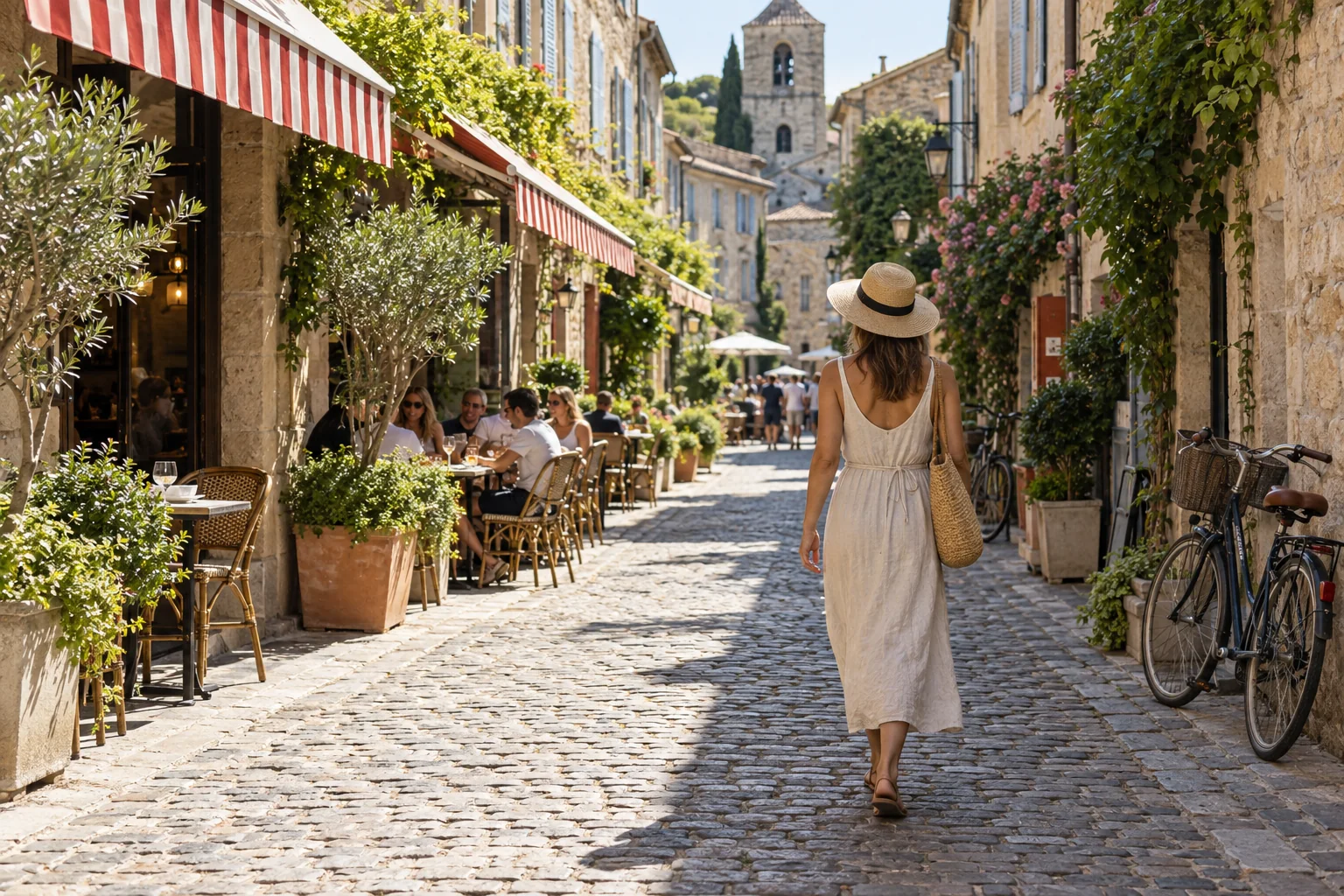
Drag the handle: the uploaded photo on the left, what the tool made on the right.
Image to Image is the broad brush of the transform tools. Where Edit With Words changes one thing and keeps everything else, Image to Image reimagines the whole picture from a sentence — a new season, a different era, another medium, a changed mood — while using your upload as the foundation so the layout and main subject stay recognizable. It is the tool for anyone who wants to see a location in another season, a marketer reusing one photo across campaigns, or an illustrator who wants a rendered image reinterpreted in a new medium.
It suits ideas that touch every pixel. A summer street becomes a snowy evening. A modern kitchen becomes a 1950s diner. A product photo becomes an oil painting on a wooden table. A pet photo becomes a royal portrait. The instruction is free text, so you can describe the change in whatever words come naturally, and the result arrives with cohesive lighting and a polished finish rather than a filter pasted on top. The examples under this description show the range of instructions it takes — a season change, an era change, a medium change, a costume change — and each opens the canvas ready to run.
For fine control, chain the tools: Image to Image for the big move, then Edit With Words to correct a detail, Style Transfer for a specific painting style, and Upscale for print. Because both the source and the result live in your library, you can run several reimaginings of the same upload and compare them side by side before choosing one to develop further. Because the original layout survives, results line up with the source in the Compare view, which makes it easy to judge whether the reinterpretation went far enough or too far.
What you set
- Your image
- How should it change?e.g. make it a snowy winter evening
After it's made
- Change details with a sentence, or hand it to any other tool
- Standard, Pro and Max quality on every make
- Enlarge to 32 megapixels or turn it into a short clip
- Every image saved to your library, downloadable full size
About this tool
- How is this different from Edit With Words?
- Edit With Words makes a targeted change and leaves everything else untouched. Image to Image reinterprets the whole image around your sentence while keeping the layout and subject recognizable — use it for global changes and Edit With Words for local ones.
- Will people in the photo still look like themselves?
- The tool keeps the main subject recognizable, but a strong reinterpretation (a different era or medium) will change faces more than a light one. Photo to Art and Cartoonizer are tuned specifically to preserve likeness.
- Can I change only the background?
- You can, but Background Changer is built for exactly that and keeps the subject's edges intact. Reserve Image to Image for changes that should affect the whole picture.
- What resolution does the result have?
- The output matches the source's aspect ratio at the model's native size. Send it through Upscale for 8 to 32 megapixels if it is headed for print.
- Can I try Image to Image before paying?
- Yes. A new account starts with 4 free credits, which covers your first Standard image with Image to Image — no card required. After that, credits come from a monthly plan or a one-time pack.
Often used next
Edit With Words
The universal edit: say what should change and everything else stays put
AI Style Transfer
Repaint any image in Van Gogh, ukiyo-e, cyberpunk or a reference image's style
Photo to Art
Photos into oil, watercolor, anime, pencil or stained glass — likeness kept
Background Changer
Keep the subject, swap the setting — one sentence, blended in properly