
AI Character Designer
Character sheets with front and three-quarter views plus an expression close-up
4 free credits on sign-up — your first Standard image with any tool, no card required.
- 01Describe the character — age, build, outfit, props, personality
- 02Choose an art style — anime, western cartoon, realistic, chibi, comic and more
- 03Render the sheet, refine with edits, and reuse the description in other tools
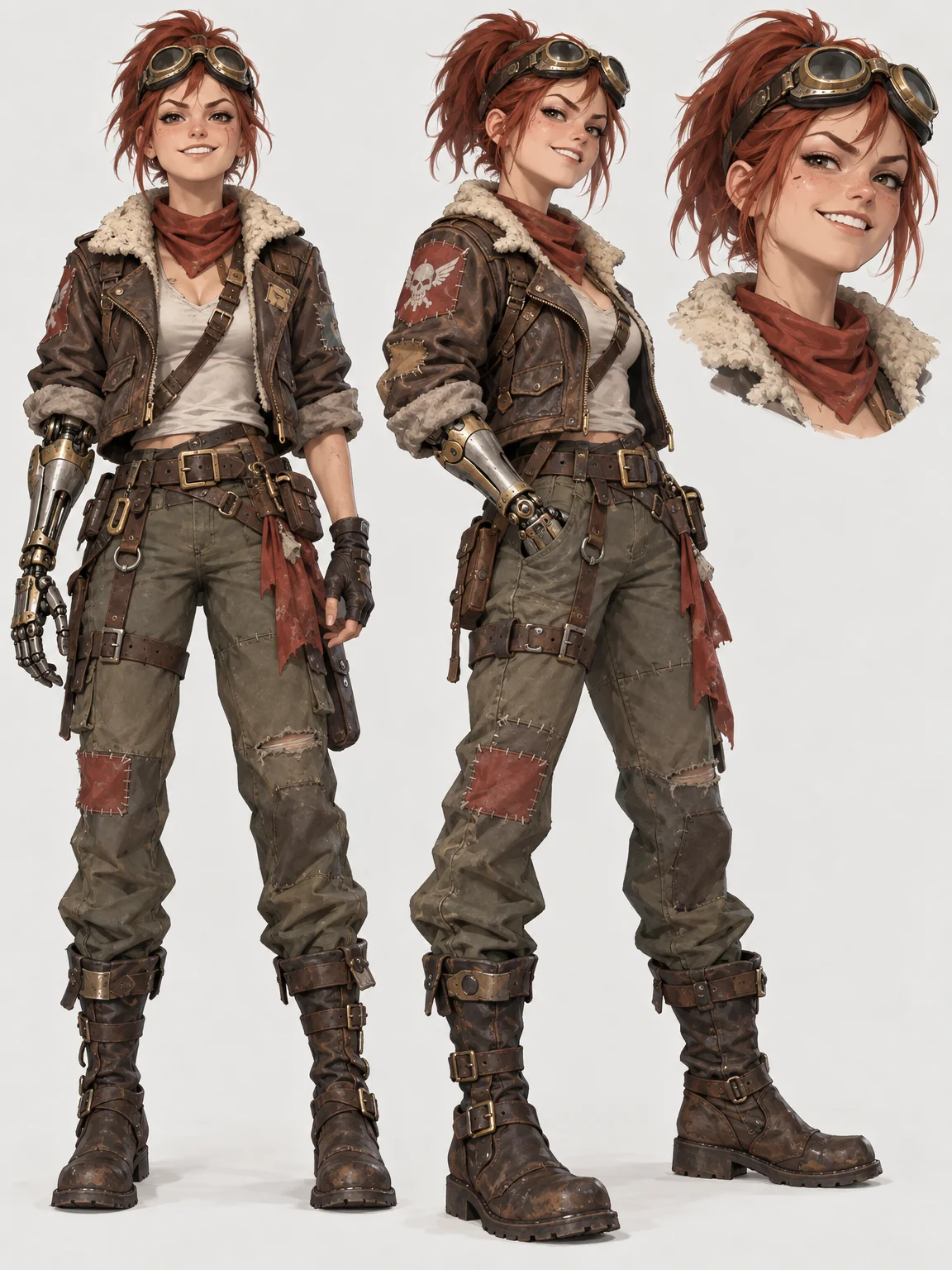
Made by this tool from the fields listed below.
A single portrait is not a character design; a sheet is. The AI Character Designer produces one: the full-body character in a front view and a three-quarter view side by side with a consistent design across both, plus a small head close-up carrying the main expression, on a plain light background with even lighting and no labels. It is the reference an animator, a modeller or a comic artist wants before the first scene. Comic artists, animators, game developers, tabletop players and novelists who want to see a character before writing a scene all use the same sheet for the same reason: it settles the design.
Eight art styles cover most projects. Anime gives clean line art and cel shading. Western cartoon uses bold outlines and simplified expressive shapes. Realistic paints lifelike anatomy and materials. Chibi shrinks the body under a big head. Comic brings heavy inks and dynamic shading. Game concept renders detailed costume and gear. Pixel builds a sprite on a crisp grid, and fantasy painterly gives rich brushwork and dramatic light. The style select shapes proportions and rendering, but the description shapes the character, so spend the words on outfit, props and personality rather than on the medium.
Write the description like a casting note: age, build, hair, the outfit in detail, one or two props, and a personality cue — "a young sky pirate with a mechanical arm, patched flight jacket, goggles on her forehead, cocky grin". The more consistent that description, the easier it is to reuse the character in the Illustration Generator or Concept Art later. Use Image Variations to explore costume alternatives and Edit With Words to change a single element without redrawing the sheet. The prompts to try under this description show how much detail a good character brief carries, and each opens the canvas with the description written and a style selected.
What you set
- Describe the charactere.g. a young sky pirate with a mechanical arm
- Art styleAnimeWestern cartoonRealisticChibiComicGame conceptPixelFantasy painterly
- 3:4 output
After it's made
- Change details with a sentence, or hand it to any other tool
- Standard, Pro and Max quality on every make
- Enlarge to 32 megapixels or turn it into a short clip
- Every image saved to your library, downloadable full size
About this tool
- What exactly is on the sheet?
- A full-body front view, a full-body three-quarter view and a small head close-up with the main expression, all matching, on a plain light background in a 3:4 page — the standard layout of a first-pass character sheet.
- How do I keep the character consistent in later images?
- Reuse the exact same description wording in other tools and keep the style fixed. A distinctive prop or color (a red scarf, a brass arm) anchors recognition across renders.
- Can I get more expressions or poses?
- Render the sheet, then run Image Variations for alternative poses, or Edit With Words with a request such as "change the close-up expression to surprised".
- Which style should I pick for a game?
- Game concept for realistic gear and materials, pixel for sprites, anime or western cartoon for stylised titles. Render two styles from the same description and compare before committing.
- Can I try AI Character Designer before paying?
- Yes. A new account starts with 4 free credits, which covers your first Standard image with AI Character Designer — no card required. After that, credits come from a monthly plan or a one-time pack.
Often used next
Concept Art Generator
Concept art for characters, environments, creatures, vehicles and props
AI Illustration Generator
Editorial, picture-book, flat vector or risograph — finished illustrations
Image Variations
Siblings of any image — same subject and style, new composition, angle or pose
Edit With Words
The universal edit: say what should change and everything else stays put
Made for