
Tattoo Design Generator
Flat tattoo stencils in fine-line, traditional, blackwork, geometric and more
4 free credits on sign-up — your first Standard image with any tool, no card required.
- 01Describe the tattoo subject and any symbolism it should carry
- 02Choose a style — fine-line, traditional, blackwork, geometric, watercolor or Japanese
- 03Render, compare variations, and bring the design to your artist
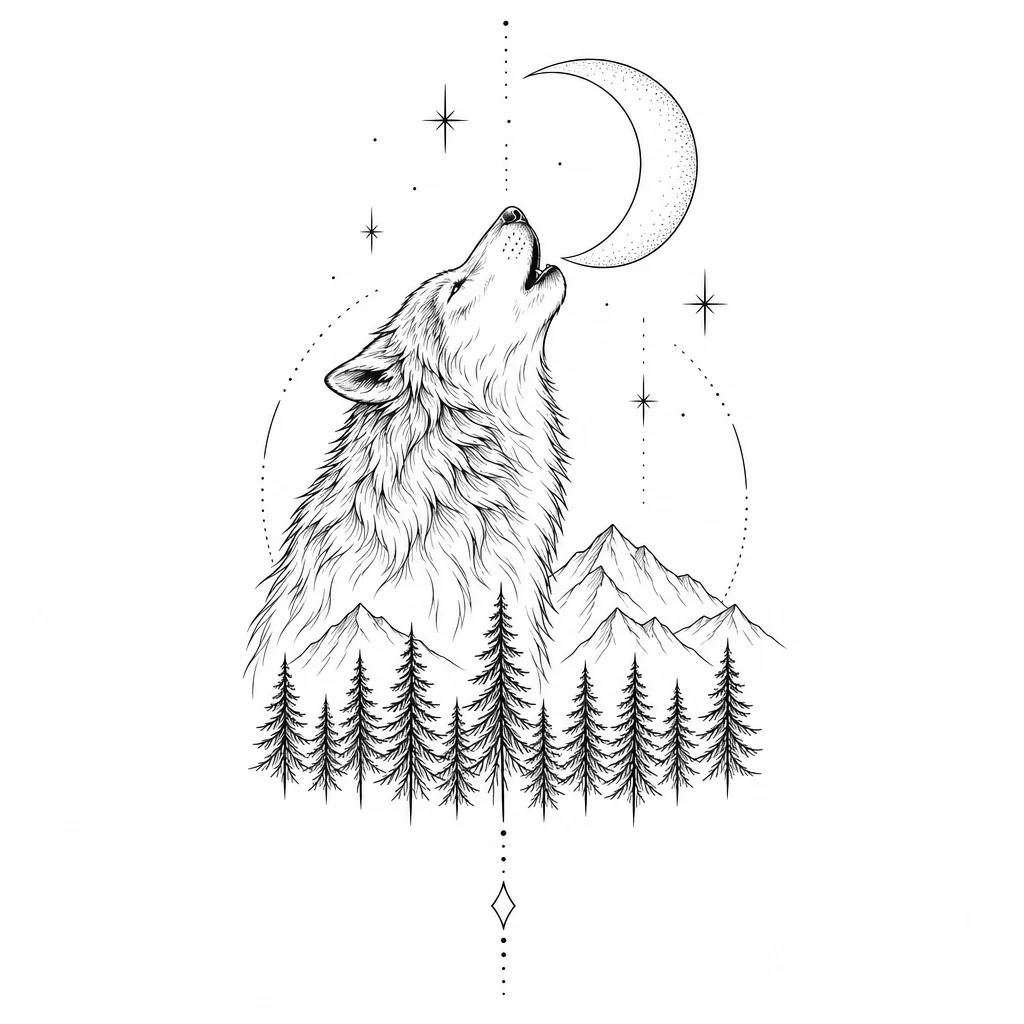
Made by this tool from the fields listed below.
The Tattoo Design Generator produces what you would bring to a consultation: a flat stencil-style artwork on a plain white background, not a photo of skin. Describe the subject — a wolf howling at a crescent moon, a peony with a dagger, a compass over waves — choose the style, and render a balanced composition with clean, confident lines and no text. It is meant for the weeks before an appointment, when you know roughly what you want and need to see it on paper to have a real conversation about it.
Six styles map to how tattooers actually work. Fine-line is delicate single-needle black lines with minimal shading. Traditional is bold black outlines and the classic red-yellow-green palette. Blackwork is heavy solid fills and strong silhouettes. Geometric brings precise sacred-geometry shapes with dotwork shading and perfect symmetry. Watercolor lets soft color splashes bleed past a light sketch line, and Japanese follows irezumi conventions with waves, wind bars, clouds and flowing composition. Style also decides how much detail the design carries: fine-line and geometric reward simple subjects, while traditional and Japanese thrive on fuller compositions with several elements and flowing background shapes.
Because the output is a flat design, it is easy to trace, resize and adapt. Render a few styles of the same subject, take the strongest to your artist, and let them redraw it for the placement and your skin — a good artist will adjust line weight and spacing for how tattoos age. Use Image Variations to explore compositions and Edit With Words to add or remove an element before that conversation. Save the designs you like to your library, render alternatives at Standard quality for a few credits each, and bring the final two or three to the studio at Pro quality so the linework is crisp.
What you set
- Tattoo subjecte.g. a wolf howling at a crescent moon
- Tattoo styleFine lineTraditionalBlackworkGeometricWatercolorJapanese
- 1:1 output
After it's made
- Change details with a sentence, or hand it to any other tool
- Standard, Pro and Max quality on every make
- Enlarge to 32 megapixels or turn it into a short clip
- Every image saved to your library, downloadable full size
About this tool
- Is the design shown on skin?
- No — deliberately. The output is a flat stencil artwork on white so it can be traced, resized and adapted. To preview placement, use Add Object on a photo of the body part and describe the tattoo there.
- Can I combine two subjects in one design?
- Yes. Describe them together and how they relate — "a fox curled around a crescent moon with wildflowers" — and choose a style whose composition rules suit it; Japanese and traditional handle multi-element pieces best.
- Which style ages best on skin?
- Ask your artist, but as a rule bold outlines and solid fills (traditional, blackwork) stay readable longest, while fine-line and watercolor pieces depend heavily on placement and skin. The design here is a starting point they will adapt.
- Can I get a symmetrical design for a sternum or back piece?
- Choose geometric and mention "symmetrical" and the placement in the subject line. The style is built around perfect symmetry and dotwork shading.
- Can I try Tattoo Design Generator before paying?
- Yes. A new account starts with 4 free credits, which covers your first Standard image with Tattoo Design Generator — no card required. After that, credits come from a monthly plan or a one-time pack.
Often used next
Image Variations
Siblings of any image — same subject and style, new composition, angle or pose
Edit With Words
The universal edit: say what should change and everything else stays put
Add Object to Image
Add anything to a photo with matching light, shadow, scale and perspective
AI Sticker Maker
Die-cut stickers with the white border already drawn — print or message-ready
Made for