
Isometric interior ideas
Run an interior through the Isometric style and you get clean 30-degree axonometric illustration with flat shaded planes in a tidy palette; crisp geometric forms carry the drawing, and the whole image feels orderly and miniature.
Describe the room's purpose, the furniture, the materials and the light source, ask for a corner view that shows two walls and the floor, and keep style words out of the prompt — the Isometric preset already supplies them. A note that applies to every Isometric interior on this page — ask for a "cutaway" or "floating island" base to frame the miniature.
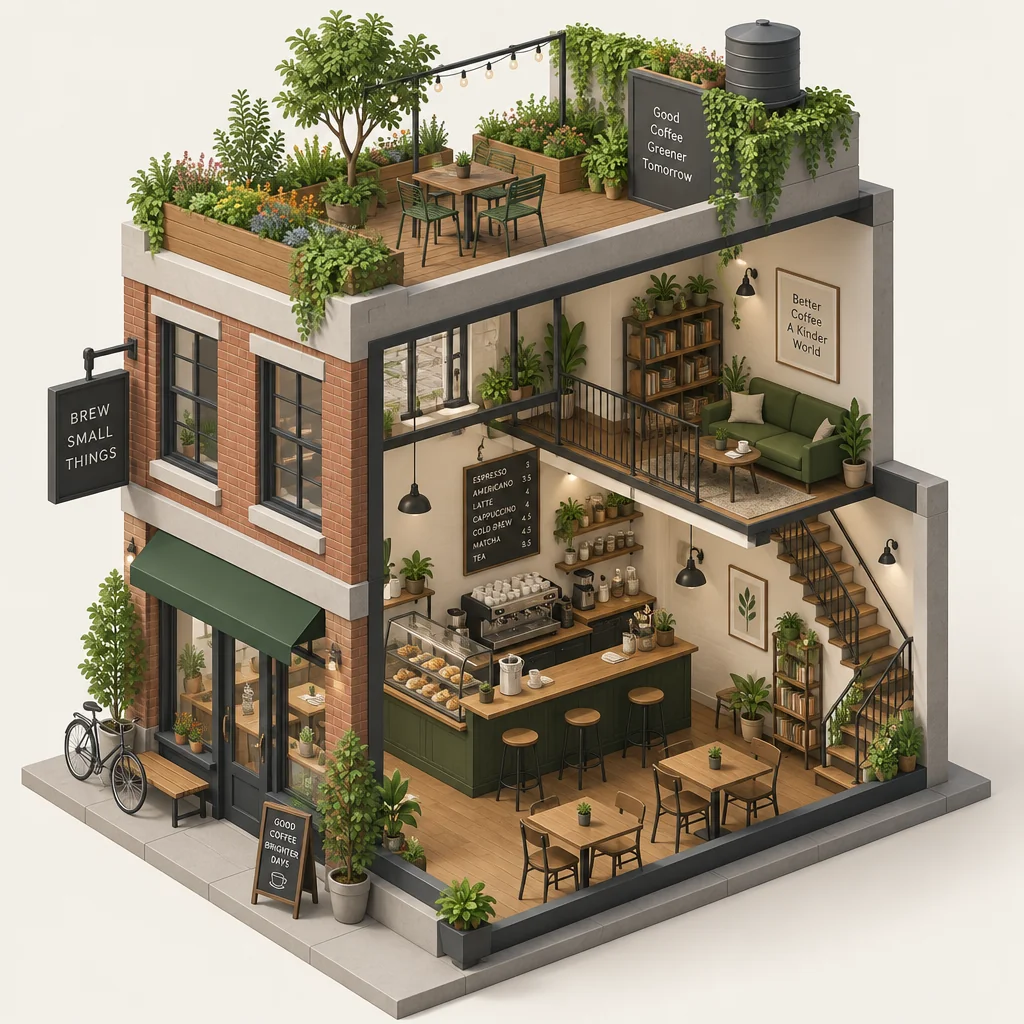
Made with the preset on this page.
Where it shines
- Best framing for a Isometric interior: a corner view that shows two walls and the floor.
- Color arrives as flat shaded planes in a tidy palette; describe your own only if the Isometric interior needs a specific one.
- Crisp geometric forms define this Isometric pairing — plan the interior composition around them.
- Good uses for a Isometric interior: product diagrams, city and room illustrations, tech marketing.
The recipe
- 01
Render the interior in Isometric
The preset carries the Isometric look, so the prompt only has to describe the interior.
AI Image Generator - 02
Adjust the Isometric interior with a sentence
Change the interior's details — colors, props, expression — without losing the Isometric finish.
Edit With Words - 03
Upscale the Isometric interior for print
Take the chosen Isometric interior to 8, 16 or 32 megapixels before downloading.
Image Upscaler
Questions
- How many credits does a Isometric interior cost?
- A Isometric interior is a text-to-image render — 2 credits at Standard, 10 at Pro and 42 at Max — with no upload involved, and new accounts start with 4 free credits.
- Will the interior keep fine detail in Isometric?
- In a Isometric interior, detail resolves as crisp geometric forms, so small textures become part of the style rather than photographic. Use Pro or Max quality when the interior carries tiny elements the Isometric treatment should keep.
- Can I turn a Isometric interior into a short clip?
- Yes — the Animate button under any render produces a 4 to 12 second clip of the interior, and the Isometric treatment carries into the motion.
Keep exploring