
Cinematic AI image generator
Cinematic frames the subject like a still from a film: widescreen feel, motivated light, a color grade, a moment with a story behind it. People, streets and vehicles gain drama instantly.
Inside the Studio, Cinematic is a single pick in the style select of the AI Image Generator, so any prompt can wear it — expect teal-and-orange grade with subtle grain, shallow depth of field and motivated light, and a mood that reads story-rich and moody. Write the prompt like a shot list — who, where, what time, what light. The 10 idea pages below apply Cinematic to portraits, landscapes, cityscapes, animals and more.
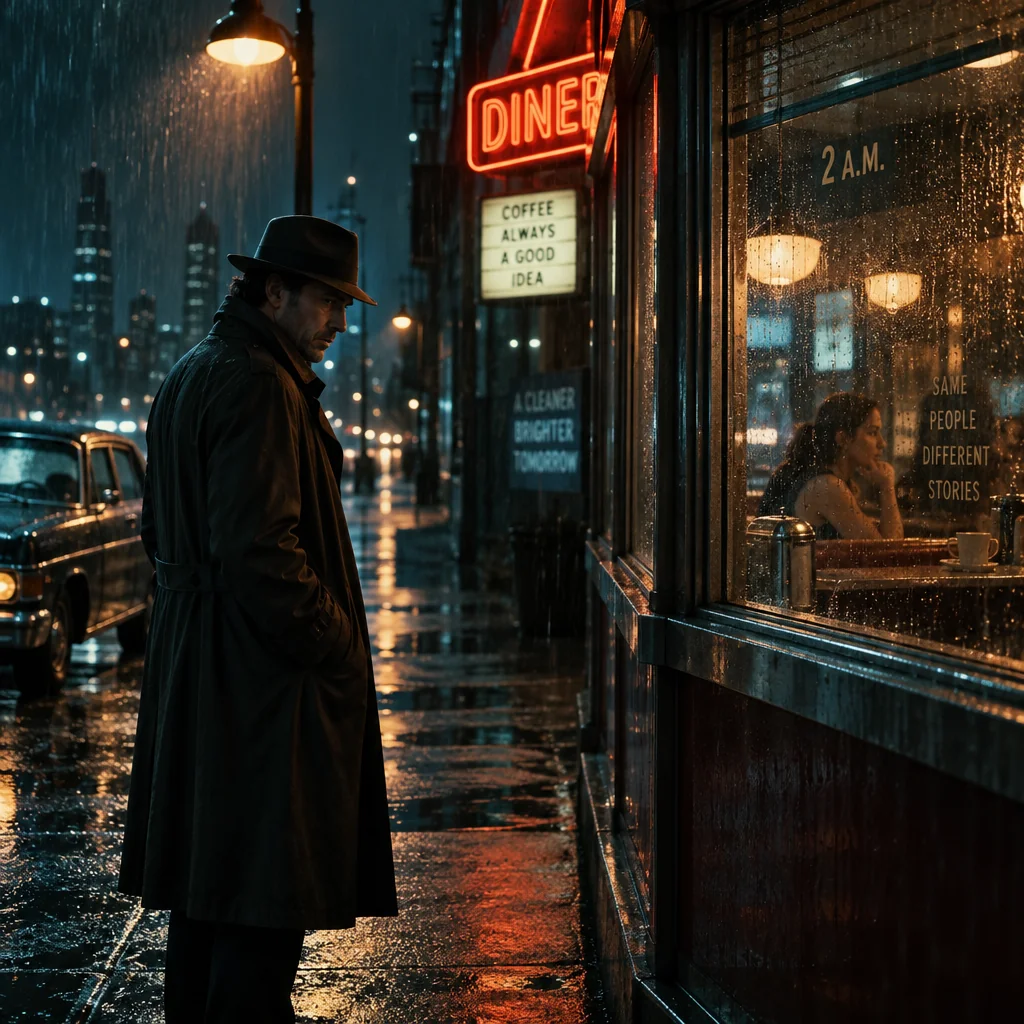
Made with the preset on this page.
Where it shines
- Medium: anamorphic film still
- Palette: teal-and-orange grade with subtle grain
- Edges and lines: shallow depth of field and motivated light
- Reach for it when you need thumbnails and key art, pitch decks or wallpapers
The recipe
- 01
Render with Cinematic selected
The canvas opens with the style preset and a starter prompt ("a detective under a streetlamp outside a diner at 2 a.m., rain on the window") you can replace with your own subject.
AI Image Generator - 02
Spin off variations
Get siblings of the best render — same Cinematic treatment, different composition — before committing.
Image Variations - 03
Upscale the keeper
Take the final Cinematic image to 8, 16 or 32 megapixels for print or a wallpaper.
Image Upscaler
Questions
- How is Cinematic different from a neutral render?
- A neutral render follows only your prompt, whereas Cinematic layers anamorphic film still on top — shallow depth of field and motivated light, teal-and-orange grade with subtle grain — and shifts the mood to story-rich and moody.
- Can I apply Cinematic to a photo I already have?
- The style select belongs to text-to-image, so for an existing photo use Style Transfer or Photo to Art, which offer looks related to Cinematic, or describe the photo's content as a new prompt with Cinematic selected.
- What is Cinematic best used for?
- Thumbnails and key art, pitch decks and wallpapers are the common cases — anywhere a picture should feel story-rich and moody.
Keep exploring